
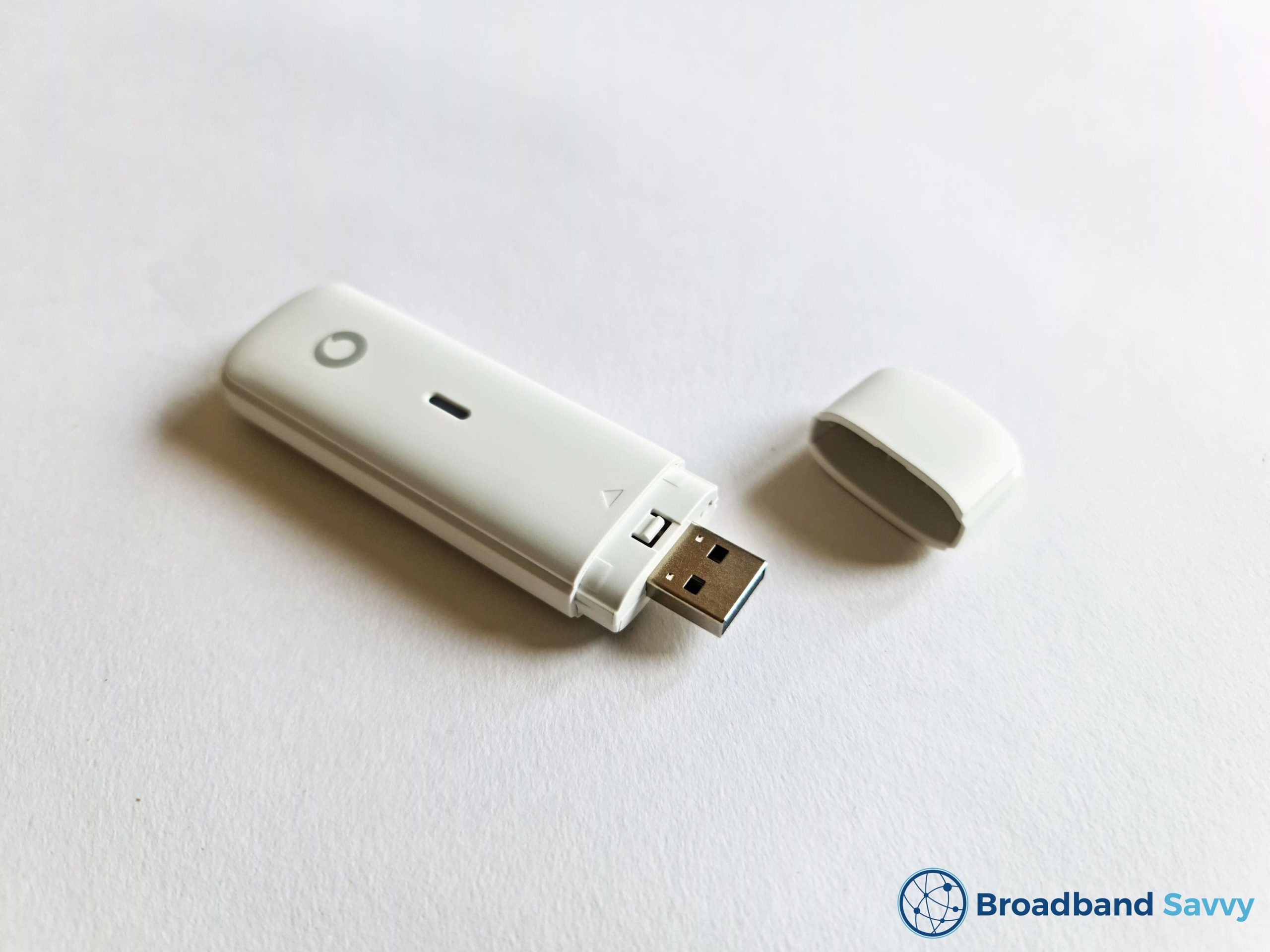
Looking at buying a dongle plan from Vodafone?
In this article, we’ve reviewed Vodafone’s K5161z dongle, to see if it’s any good, based on its download and upload speeds, ease of setup, value for money, and more.
We’ve also compared this dongle to some other mobile broadband solutions on the market, such as Three 4G MiFi, to see how Vodafone’s dongle stacks up against the competition.
Contents
Vodafone dongle overview
| Brand | Vodafone |
| Name | K5161z |
| Dimensions | 93.8 x 28.6 x 13.5mm |
| Weight | 28.2g |
| LTE bands | B1/B3/B7/B8/B20 |
| Maximum connected devices | 1 |
| Download speeds | 5-20Mbps, depending on 4G coverage in your area |
| Contract lengths | Monthly. 12 months, or 24 months |
| Data plans | 5GB, 25GB, or unlimited data |
| Rating | 2 (out of 5) |
| Price | Check on Vodafone |
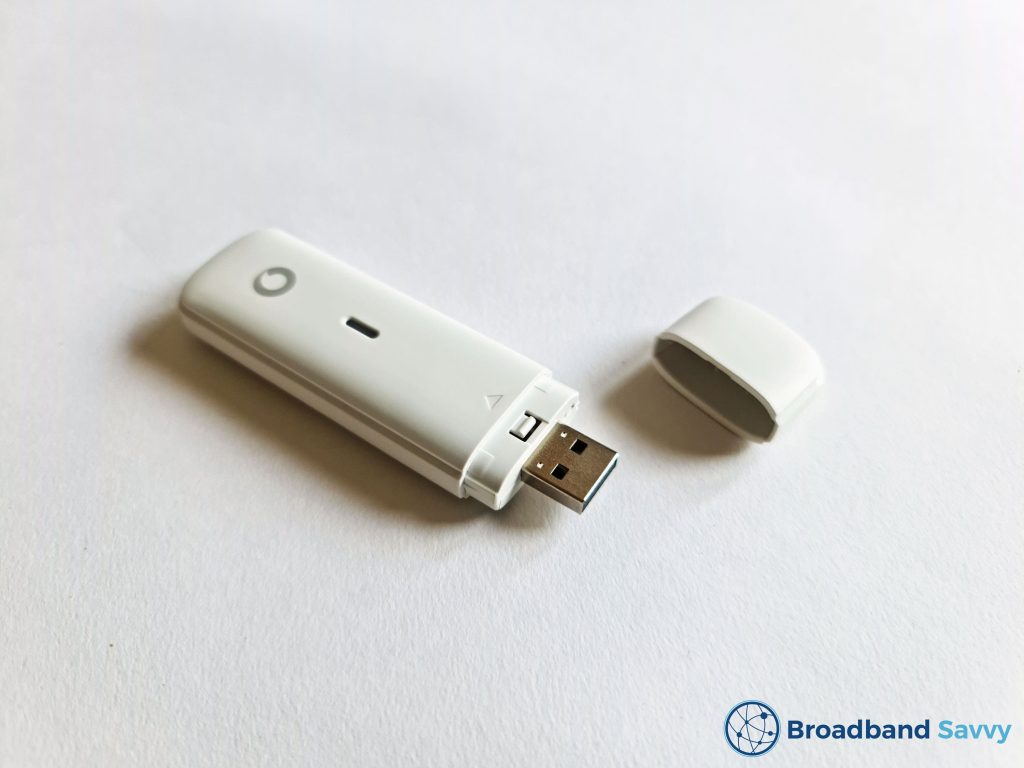
Vodafone currently sells a mobile broadband dongle paired with a data SIM plan, which allows you to get online using their 4G network, just like how you get internet on your phone.
Once you buy, you’ll first insert the included SIM card into the dongle, then plug it into your computer’s USB port.
Then, you’ll need to install the dongle’s software on your computer, and once that’s done, it will connect to the 4G network.
At this point, you’ll be able to get online on the device you’ve plugged the dongle into.
Currently, you can choose to buy the K5161z dongle with 5GB, 25GB, or unlimited monthly data.
You also get the choice of a 30 day, 12 month, or 24 month contract. The longer you commit for, the lower your monthly and upfront cost will be, but you can also choose a pay as you go plan if you want a more flexible mobile broadband solution.
Vodafone also sells a 4G MiFi device. Unlike a dongle, this gadget creates a WiFi hotspot, allowing you to get online on multiple devices at the same time.
Vodafone dongle unboxing and setup
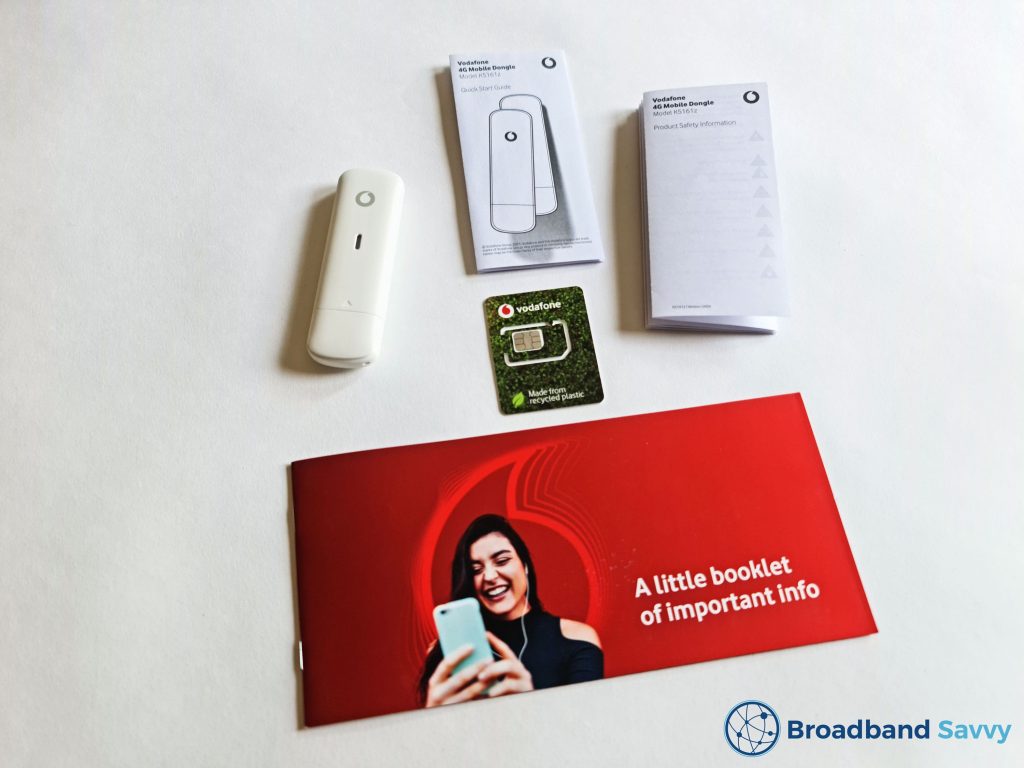
When you receive your package in the mail from Vodafone, you’ll find in the box:
- The K5161z dongle, made by ZTE
- A Vodafone SIM card
- A quick start guide
- A product safety booklet
- A Vodafone contract information booklet
Here’s what you need to do to get online with your dongle.
The process is fairly straightforward except for the final step, and should take you about 15-20 minutes in total.
Step #1: insert the SIM card in the dongle
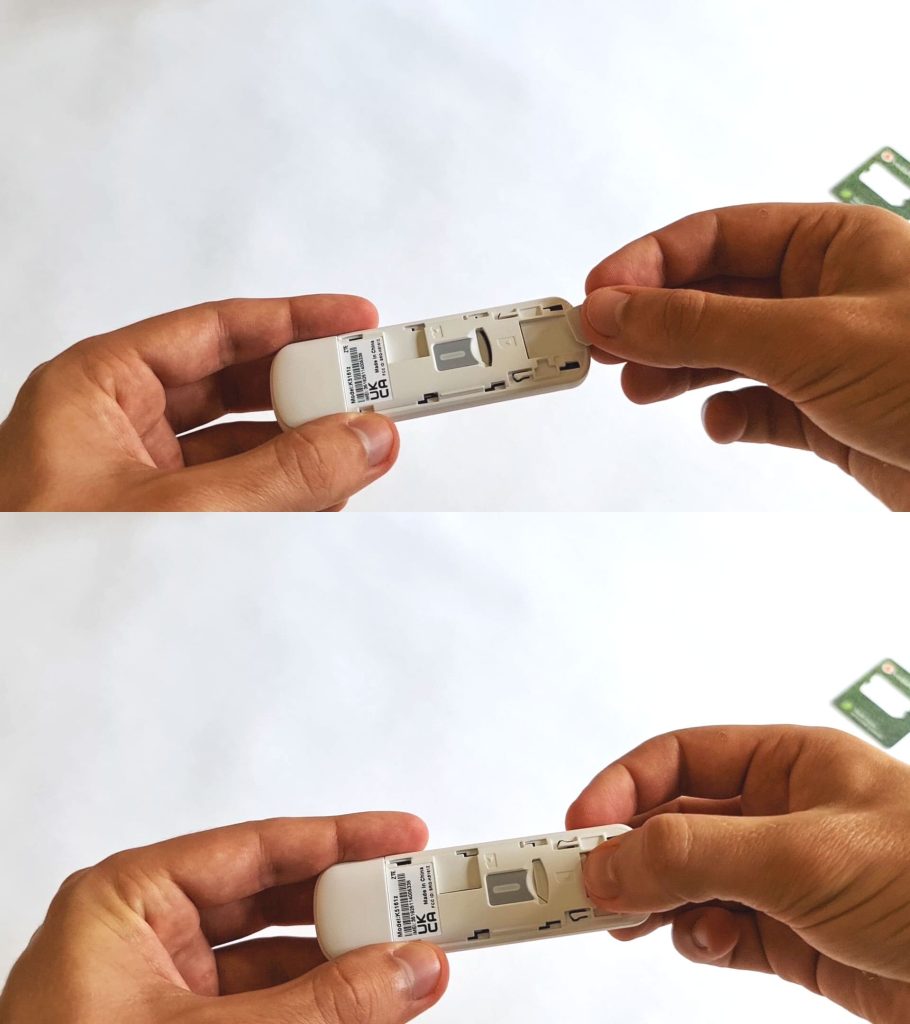
First, take the dongle, and remove the plastic cover on the front.
To do this, slide it to the right, in the direction of the Vodafone logo.
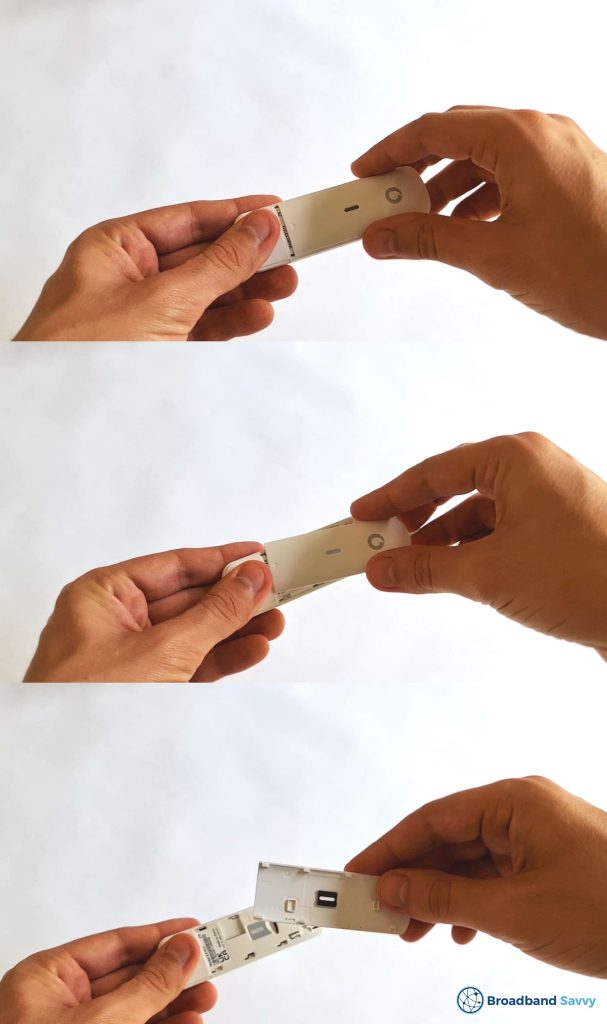
Next, you’ll need to remove the SIM from its packaging, and take the right size of SIM out of the punch-out card.
You need the micro-SIM, which is the second-biggest one.
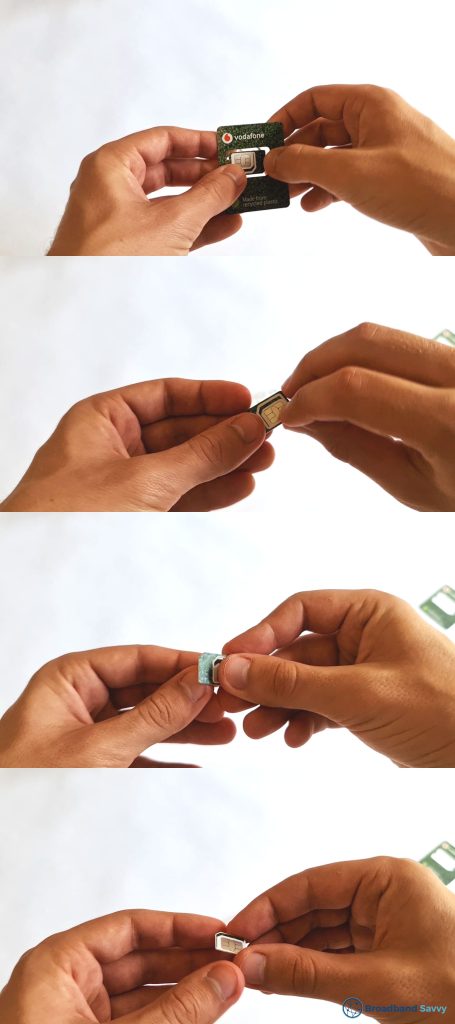
Now you can slide the SIM into its slot inside the dongle.
It goes in with the cut corner facing the bottom left, with the green side face-down, as shown in the image below.
Once the SIM is oriented the right way, slide it to the left until it can’t go any further.
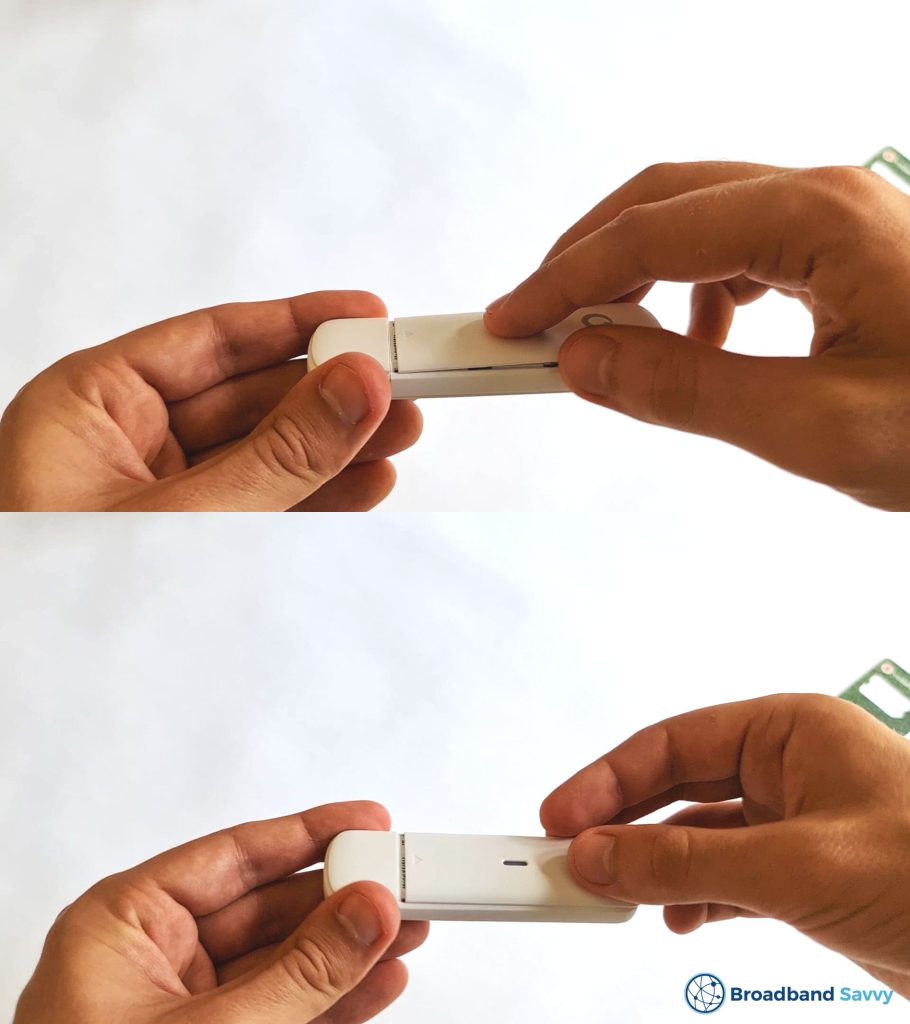
Next, reattach the SIM slot cover, sliding it to the left to put it back into place.
Step #2: plug in the dongle
Now that the SIM card is installed, you’re ready to begin setting up the dongle on your computer.
Remove the plastic USB port cover on the other side of the dongle to the SIM slot, and insert the device into your computer’s USB port.
At this point, if the SIM is inserted correctly and the USB is receiving power, the dongle’s status light should begin to flash blue.
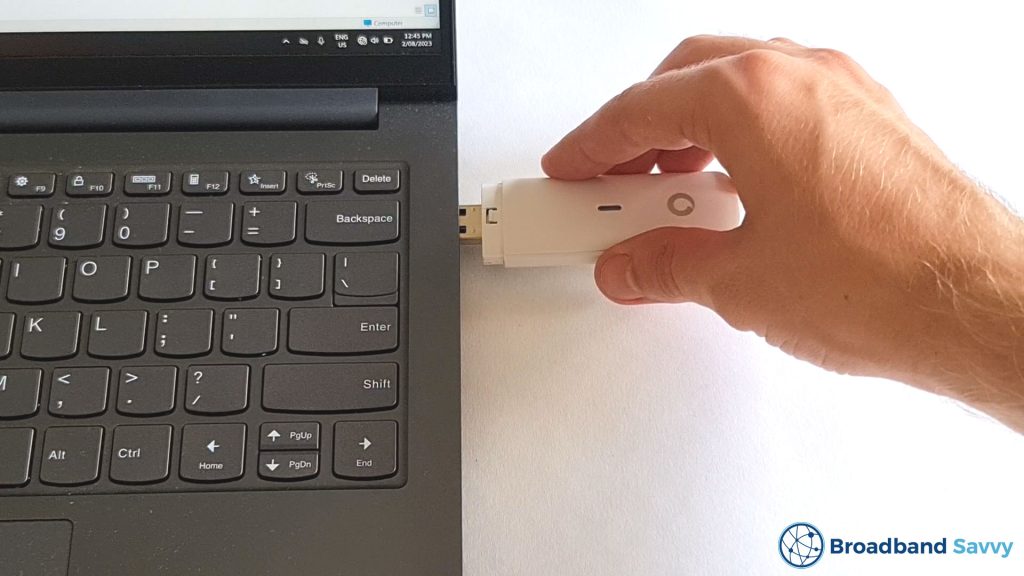
During this stage of the set-up process, we noticed that the dongle is quite big relative to most modern USB devices on the market at the moment.
This means that if you have two USB ports side by side, and you plug the K5161z into one of them, it’s highly likely that you won’t be able to use the neighbouring USB port.
Step #3: install the Vodafone QuickStart software
Before getting online, the next step is to install Vodafone’s software for the dongle.
When you insert the USB for the first time, you may get a prompt to begin installing the software automatically.
However, this did not happen for us, so we had to open the dongle’s directory in File Explorer, and run the installer manually. You can do this by searching for external storage media – the dongle effectively acts as a USB drive – then look for the AutoRun file.
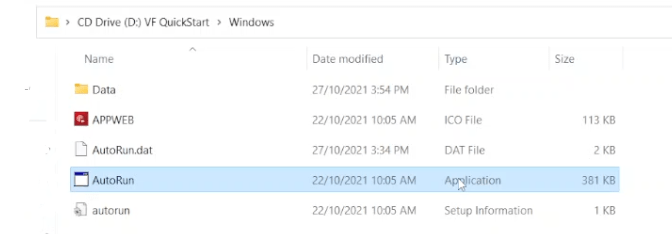
The process of installing the dongle software was a bit tricky, in our experience using Windows 11.
After initially installing it, we still weren’t able to get online, and had to reinstall the software before we could connect to the internet.
Eventually though, the dongle began to be recognised as an internet network on our PC, and we could begin getting online.
Vodafone dongle speed tests
We tested the Vodafone dongle at home, in an area with strong 4G signal on the Vodafone network.
We ran a number of speed tests in different areas of the house to assess the performance of this device. Most of these tests were performed upstairs, in order to try and get the best possible 4G signal.
It’s also worth mentioning, even though Vodafone advertises the data plans this dongle is sold with as “5G Ready”, the device itself is not. Meaning, you will only ever get 4G speeds using the Vodafone K5161z.
Speed test #1
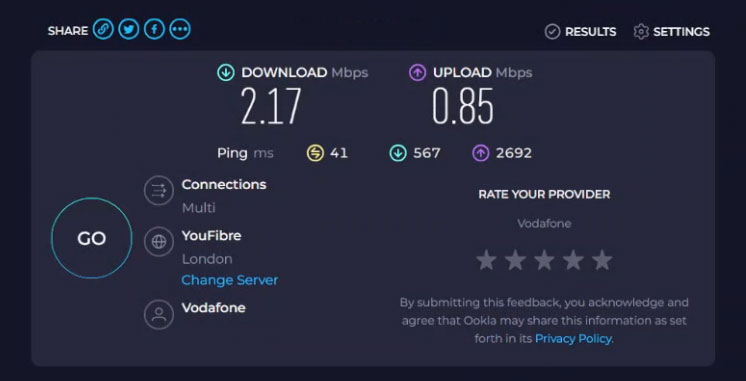
- Download speed: 2.17 Mbps
- Upload speed: 0.85 Mbps
- Ping: 41 ms
Speed test #2
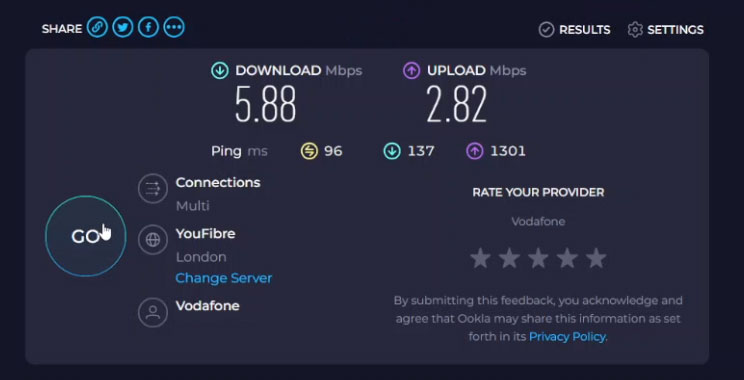
- Download speed: 5.88 Mbps
- Upload speed: 2.82 Mbps
- Ping: 96 ms
Speed test #3
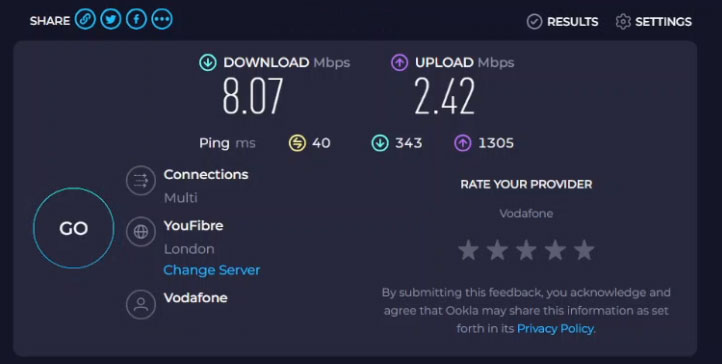
- Download speed: 8.07 Mbps
- Upload speed: 2.42 Mbps
- Ping: 40 ms
Our download and upload speeds with the Vodafone 4G dongle were quite disappointing.
We were never able to receive download speeds of more than 10 Mbps, which is very low for 4G mobile broadband at our address.
Using Three’s Huawei 4G MiFi device for example, we generally record speeds of at least 30-40 Mbps, and we normally receive much faster download speeds using a Vodafone SIM card in a phone as well.
The 5-10 Mbps maximum we see with the Vodafone dongle is only really enough for web browsing and checking emails. The speeds frequently fell enough to introduce buffering and delays when watching videos on websites such as YouTube, even in a relatively low resolution such as 720p.
Part of the issue with the dongle’s speeds is that the device’s position will always be at least slightly suboptimal, because it needs to be plugged into the computer.
This means, if you’re using it indoors, the dongle can’t be positioned somewhere closer to a 4G mast – such as on a windowsill – in order to pick up the strongest possible mobile signal. This is not the case with a MiFi device or 4G router, which can be positioned away from the device you’re getting online on.
Vodafone dongle value for money

Vodafone’s mobile broadband dongle does not offer the best value for money, for two main reasons.
Firstly, its download and upload speeds are not as fast as some other dongles on the market at a similar price point, such as Three’s 4G device.
Secondly, this dongle does get quite expensive if you want unlimited data, especially on a short-term contract.
Though there are no upfront costs on the 12 and 24 month plans, there are some on the short-term deals, and the monthly costs on these pay as you go plans can also get quite high.
By comparison, Three’s 4G mobile Wi-Fi device offers much better value for money plans, with unlimited data included, and much faster download and upload speeds from our testing.
Plus, with MiFi devices like this one, or the one Vodafone sells, they allow you to easily get online on multiple other devices at the same time, which isn’t the case with a dongle.
MiFi devices are also a lot easier to set up, with no software installation necessary, and are generally a much better value type of device to buy in our opinion.
Verdict: is Vodafone’s dongle any good?
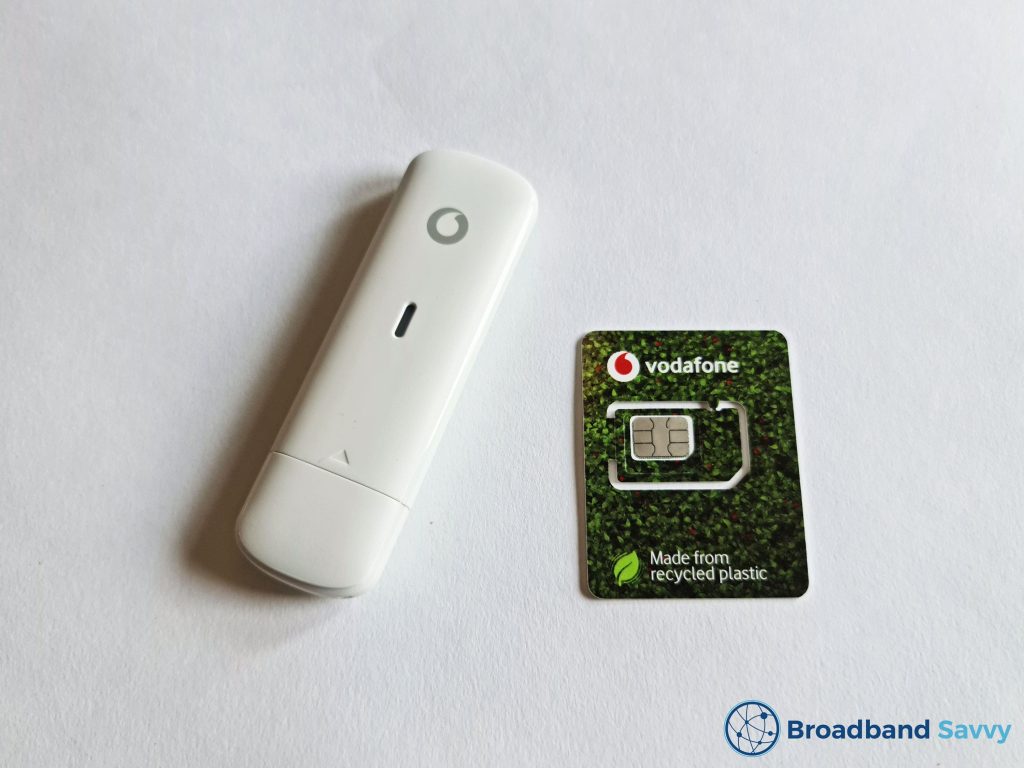
If you want to get online on a single computer with a 4G connection, Vodafone’s K5161z dongle offers a convenient way of doing this.
Their dongle plans are relatively cheap and quite flexible, compared to most other home broadband solutions.
However, there are a few quite significant issues with Vodafone’s dongle deals:
- The device does not offer fast speeds from our testing, compared to most other similar 4G broadband devices.
- The pay as you go plans are quite expensive, especially the ones with unlimited data.
- Getting started with the K5161z was a bit of a process, and the device only allows you to get online on one computer at at time (it’s not compatible with phones, iPads, smart TVs, or other devices).
Overall, we rate Vodafone’s dongle 2 out of 5. In most cases, we would not recommend buying this mobile broadband device.
If you’re looking for a flexible way to get online, we tend to recommend Three 4G MiFi over the Vodafone dongle at the moment.
It offers faster speeds, better value for money, and allows you to easily get online on multiple devices at once.
Vodafone dongle alternatives
There are some much better ways to get online using 4G or 5G compared to the Vodafone K5161z dongle.
We’ve discussed some of these alternatives below.
1. Three 4G MiFi

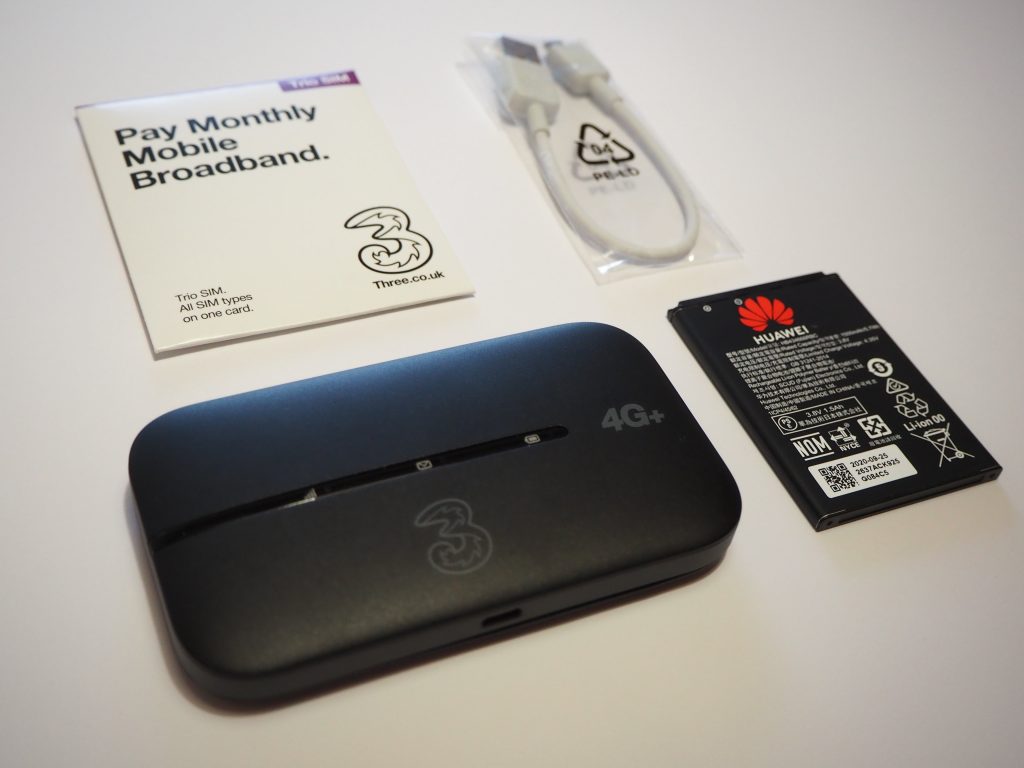
Rather than selling a traditional USB dongle, Three currently offers a mobile Wi-Fi (MiFi) device, as we touched on earlier in the article.
This hotspot still comes with a SIM card, but it’s battery powered, and creates a WiFi network you can use to get online on more than one device at once – meaning you’re not limited to just using it with computers that have a USB port.
Three includes unlimited data as standard on all of their MiFi plans, and this device offers quite fast download speeds of 30-40 Mbps from our testing.
There is also a 5G MiFi device from Three you can buy as well, which offers speeds of 100-150 Mbps in areas with 5G signal.
2. Vodafone R228t MiFi device
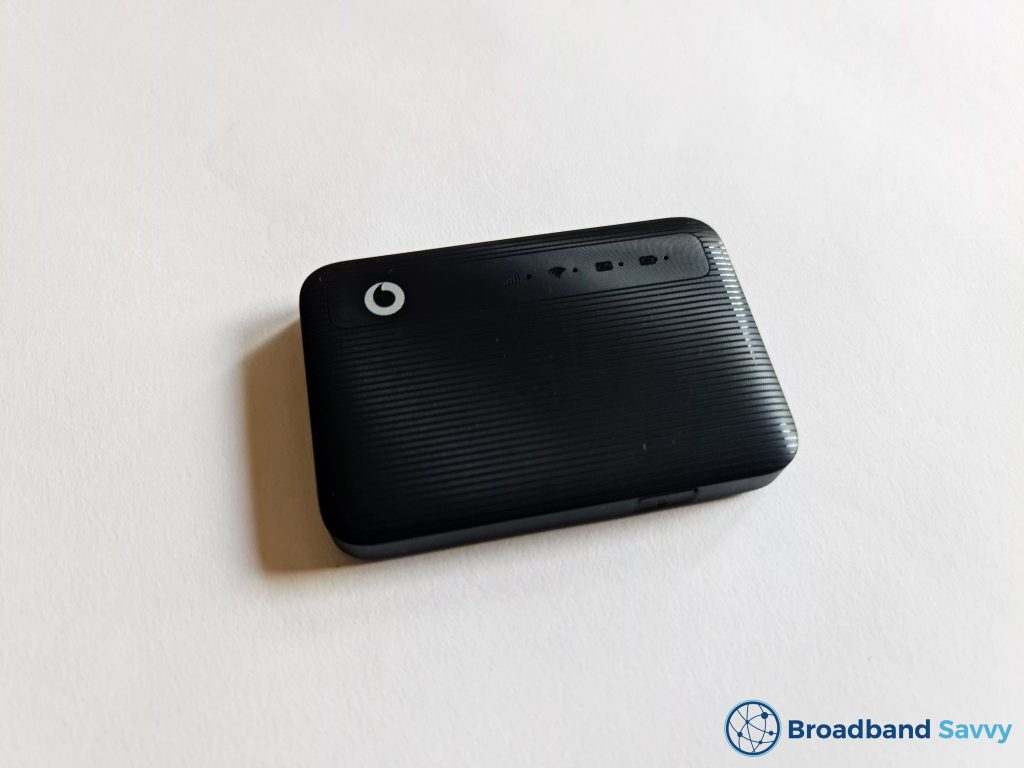
As well as their dongle, Vodafone also sells a MiFi device, just like Three, called the R228t.
We prefer Three’s 4G MiFi hotspot over Vodafone’s one, because it’s slightly cheaper, offers faster speeds from our testing, and always comes with unlimited data.
However, if you want to use the Vodafone network, their MiFi device is much easier to set up than their dongle, and allows you to get online on multiple devices at the same time.
3. Three 4G Hub
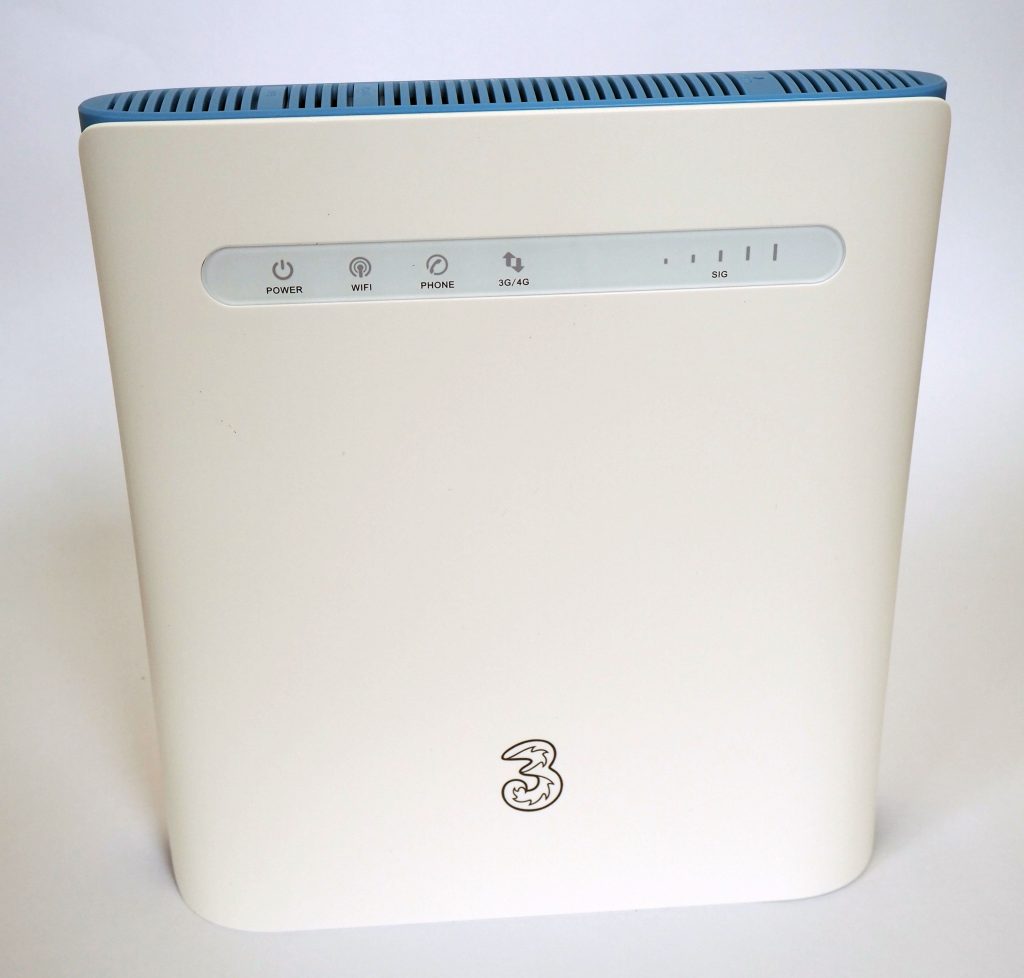
If you’re looking for a way to get online at home, it might be better to use a 4G router, rather than a dongle.
These types of devices are larger than dongles or mobile Wi-Fi hotspots, and require being plugged into mains power. However, they offer faster download speeds and stronger Wi-Fi signal, making for a better experience when getting online at home.
The Three 4G Hub comes with unlimited data, and is very reasonably priced. There is also a 5G Hub available for essentially the same monthly cost, if you can get 5G signal in your area.
Conclusion
You’ve reached the end of our Vodafone dongle review.
If you’re still not sure which mobile broadband solution is best for your needs, leave us a comment below, and we’ll get back to you as soon as we can.
Related resources
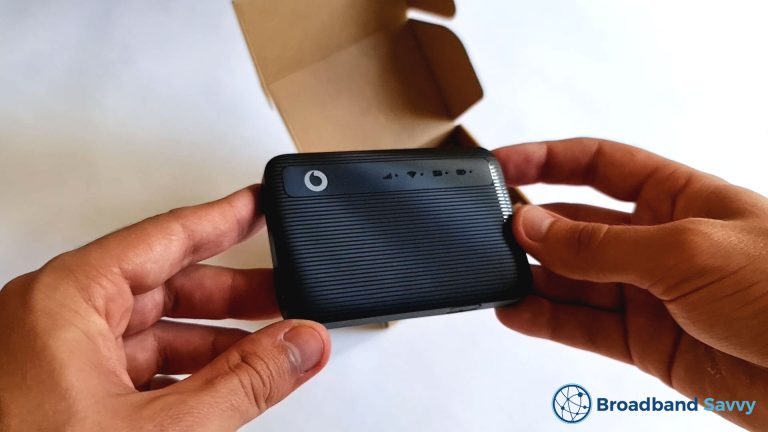
Vodafone Mobile Hotspot Review | R228t MiFi Device | 2026
Discover whether the Vodafone R228t mobile Wi-Fi device is any good. We review Vodafone MiFi to see if it's worth buying.
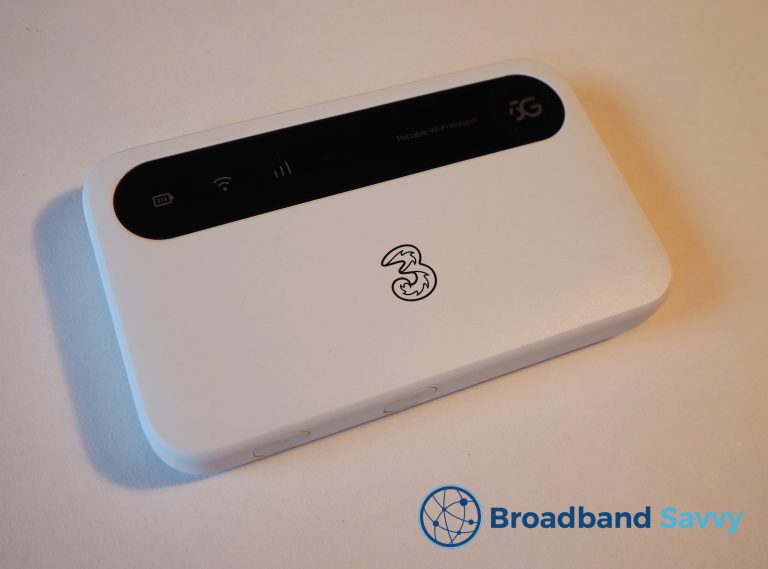
Three 5G MiFi Review | ZTE U50 Mobile Broadband
Learn about Three's 5G MiFi deals. We review the ZTE U50 on Three to see if their 5G MiFi plans are worth buying.
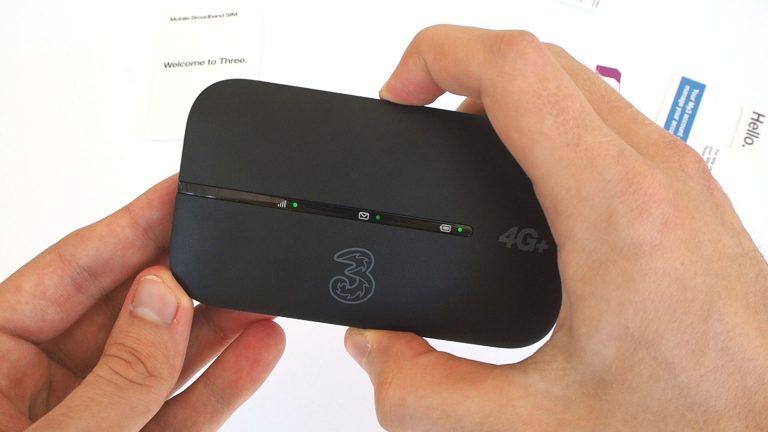
Three 4G MiFi Review | Huawei Mobile WiFi Router | 2026
We review the Huawei E5783-330 4G MiFi device from Three. Discover the speeds offered by this mobile WiFi device, and if it's worth buying.
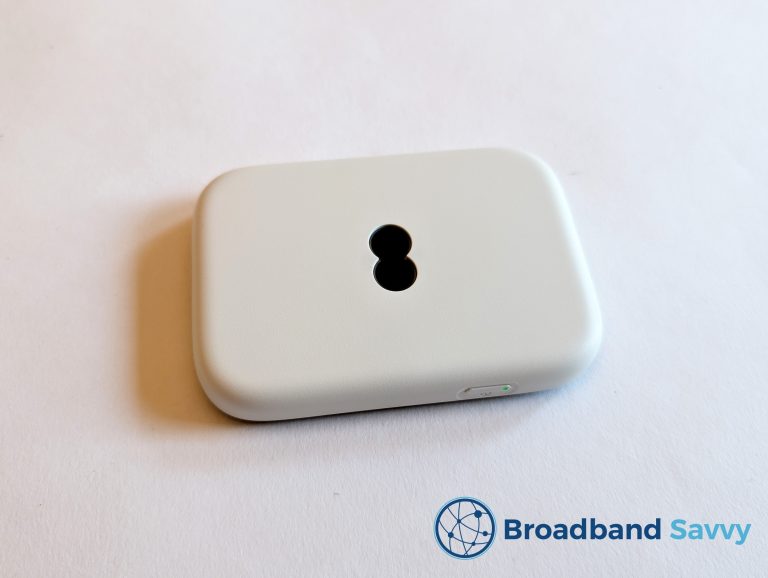
EE 4G MiFi Review | 4G WiFi Mobile Broadband | 2026
We review the EE 4G WiFi device. Discover the speeds offered by EE's MiFi router, and whether or not it's good value for money.

Tom is the founder of Broadband Savvy. He has nearly 10 years’ experience writing broadband tutorials, reviewing routers and internet service providers, and explaining broadband-related concepts. Tom is experienced as a writer, has appeared on national radio and in national newspapers, and also produces videos for the Broadband Savvy YouTube channel.
He currently specialises in writing content for Broadband Savvy designed to help people understand broadband jargon and terminology, increase their download and upload speeds, and improve their Wi-Fi connectivity. Tom also occasionally contributes to buyer’s guides and review articles on Broadband Savvy, utilising his knowledge of the broadband market in the UK.
When he’s not writing about broadband, you’ll find him hiking somewhere or playing on his Nintendo Switch.