

Searching for a broadband and TV bundle to buy in the UK?
In this article, we’ve taken a look at five of the best broadband and TV deals on the market in 2026.
After, we’ve also explained how broadband and TV deals work, so you know what to look for when buying.
Best broadband and TV deals
Below, we’ve taken a look at five of the best broadband and TV deals on the market at the moment.
1. EE Broadband and TV
Since BT began moving all of their TV packages over to their EE brand, EE now has a great range of really good broadband and TV bundles to choose from.
The best thing about EE in our opinion is their broadband service. They have some of the best WiFi routers on the market, offering WiFi 7 tech by default, which basically no other provider does, ensuring you get good speeds throughout the house.
They also have good customer service, and offer ultrafast speeds of up to 1.6 Gbps at most Openreach full fibre addresses.
You also get access to exclusive EE Mobile benefits as an EE Broadband customer. For example, you can get existing SIMs upgraded to unlimited data for free, or buy new SIM plans for a cheaper price, potentially helping you reduce your overall bills.
Once you choose a broadband plan, you have the choice of a few different types of TV deals to add on.
EE has the full range of Sky TV channels on offer, including Sky Sports, Sky Cinema, and Sky Atlantic. TNT Sports is also available either on its own, or bundled with Sky’s Premier League, Formula 1, cricket, and other offerings.
The range of TV bundles to choose from isn’t as big as with some other providers, but we think EE makes up for this with the quality of their broadband service, and their choice of TV boxes.
Most of these TV bundles have a 24 month contract (the same as your broadband), but the benefit of this it allows EE to include your choice of set top box free of charge with your plan, since you’re committing for a longer time.
You can get one of EE’s TV boxes, or choose to go for an Apple TV 4K instead, if you’d prefer a stronger integration with Apple TV and other apps. Plus, you can easily add on more EE TV Box Minis to watch your favourite shows in different rooms around the house.
The best thing about the EE TV Box Pro though is despite being designed for streaming, it can record live TV, just like a traditional set-top box. This isn’t the case with Sky or Virgin’s streaming boxes at the moment.
Pros
- Really good WiFi routers.
- Great customer service.
- Good range of TV boxes to choose from.
- Includes EE Mobile discounts and benefits.
Cons
- Not the biggest range of TV bundles, and they each come with a 24 month contract.
2. Virgin Media Broadband and TV
There’s a few reasons you like to consider buying broadband and TV from Virgin Media.
The first is, they offer some of the most flexible packages on the market. With their Flex TV option, you can easily add and remove TV channel bundles on a monthly basis, helping you access the TV channels you need, when you need them, and helping you save money over time.
The second is, if you want a more inclusive plan with a much greater range of channels, Virgin Media is also a really good choice for this.
They have basically any channel you could ever want to watch, including Sky Sports and TNT Sports, Sky Cinema, Sky Atlantic, Netflix, Cartoon Network, Nat Geo, the History Channel, and a lot more besides.
Virgin Media offers very fast broadband speeds of up to 1,130 Mbps at most locations, and they normally have the option to get symmetrical uploads for an extra monthly cost as well. They also offer good WiFi tech with their Hub 5 router, but building a Virgin Media broadband and TV plan is a bit more tricky compared to with EE.
Rather than choosing a broadband speed and adding TV channels on, you normally start with one of Virgin’s ready-made broadband and TV packages, which you can then customise later if you like. The end result is, it’s a bit more difficult to get the exact channels and broadband speed you need.
On the plus side though, Virgin Media tends to offer quite good value for money, especially on the broadband side of things. Their monthly costs are usually very competitive.
Also, you get a Stream Box included as standard when you buy, even if you choose Flex TV. It can’t record live TV, but you can access most shows on demand through the attached Virgin TV streaming service.
Pros
- Massive range of channels to choose from.
- Flexible TV plans available.
- Great value for money.
- Possible to get symmetrical download and upload speeds.
Cons
- Can be a bit tricky to build the perfect bundle.
- Can’t record shows with the Stream Box.
3. Sky Broadband and TV
In terms of the different range of TV products on offer, and the number of channels you can choose from, it’s hard to go past Sky.
In most areas, Sky Broadband is not normally as fast as EE, and their default WiFi 5 router is not as good, unless you pay for an upgrade to the Sky Max Hub. However, in CityFibre locations, this provider offers blazing-fast download speeds of up to 5 Gbps, making them one of the fastest on the market, as well as a WiFi 7 router, which is great.
Once you choose a broadband plan, there are two different TV products to choose from:
- Sky Stream is the most basic option. It’s delivered through your broadband connection, just like EE TV, and allows you to easily stream the channels you want to watch, using a Sky Stream Puck. This is a streaming device which you plug into your TV and connect to WiFi to instantly begin watching. You’ll need to have fast broadband to use Sky Stream – we tend to recommend at least 100 Mbps, or more if you’ll have multiple TVs in use at the same time, or if you’ll be streaming in 4K.
- Sky Glass is a newer service whereby Sky ships you a brand new smart TV, with Sky channels integrated as apps on the device. TV service is delivered through your broadband connection, just like with Sky Stream.
Sky Q, Sky’s older satellite TV service, is no longer sold by the company – you have to stream TV through your broadband connection, as a new customer.
No matter how you get Sky TV delivered, their range of different channels you can add on is really good. You can pick and choose between entertainment channels, documentaries, movies, cartoons, sports (including Sky Sports and TNT Sports), Netflix, and more, allowing you to build the right plan for your needs.
The downside to Sky TV is, with their new broadband-based streaming service, the Stream Puck doesn’t work quite like a set-top box.
You can add shows to a virtual playlist to watch later, but you can’t make a recording that lasts in local storage indefinitely, and the playlist functionality may not work with all types of shows. The broadcaster might also choose to not keep the show available on the playlist for very long.
Therefore, if you want a more traditional set-top box experience, we tend to recommend EE over Sky at the moment, especially given that EE offers better WiFi routers to most customers as well.
However, Sky does have a really good range of TV channels available, and they normally offer the option of buying TV bundles on a rolling monthly basis, which is great.
If you want to add Sky Sports for example, you can choose to lock in for 24 months to get a lower monthly cost, or add it on a month to month basis for extra flexibility.
Pros
- Huge range of channels and TV options on offer, including the ability to get a smart TV.
- Can add channels on a rolling monthly basis.
- Offers speeds of up to 5 Gbps in certain locations.
Cons
- Still ships a WiFi 5 router by default on most plans.
4. Vodafone Xtra Broadband w/ Apple TV
Vodafone’s broadband and TV deals are a bit different to most other options on the market at the moment.
With any of their broadband tariffs, you can choose to add on their “Xtra” bundle, which gives you an Apple TV 4K device, valued at about £150, and three months of Apple TV+, which is Apple’s TV subscription service.
Compared to buying from a cable TV provider like EE or Sky, the downside to Vodafone is they don’t have channels like Sky Sports or Sky Atlantic you can buy from them directly. However, you can subscribe to these channels separately through NOW TV, allowing you to easily stream them through your Apple TV 4K.
Vodafone Broadband is very good value for money – their monthly costs are very low, and there are no upfront fees.
You get a WiFi 6 router included as standard, and on their Pro 3 plans (which you can still buy with the Xtra add-on if you’d like) you get one of the best WiFi 7 routers on the market from any provider, as well as a signal booster.
Ultimately, if you want fast broadband, don’t need a huge range of channels, and want to more flexibly stream certain channels like TNT Sports, we think Vodafone is worth looking at.
However, they’re not the best choice if you want a set top box and a large range of different cable channels to choose from.

Pros
- Good value for money.
- Great WiFi routers.
- Getting the Apple TV box enables you to pick and choose the streaming services you want, when you want them.
Cons
- Need to add on cable TV channels using a separate service such as NOW TV.
5. BT Broadband and TV
Over the past few years, BT has steadily moved all of their TV offerings across to their EE brand.
However, as of 2026, you can still add EE TV packages onto a BT Broadband deal as you go through the checkout process.
The benefit of doing this is BT Broadband can be cheaper than buying from EE, especially if you use this link which includes a reward card when you buy, effectively giving you at least two months of free broadband access most of the time.
When you add on TV channels, you still get an EE TV box included, and the ability to buy more units for different televisions around the house.
The downside to BT Broadband is their Smart Hub 2 router isn’t as good as the Smart Hub 7 Plus device you get as a new EE Broadband customer, from a WiFi signal and speeds point of view.
Therefore, unless you just want to save as much money as possible, we would typically recommend buying EE Broadband and TV instead of going through BT.
Pros
- Low monthly costs, especially on the broadband aspect of the service.
- Includes a reward card when you buy.
- Still offers the really good range of channels and powerful set top box that comes with EE TV.
Cons
- Router isn’t as good as the one EE offers.
What you need to know

Below, we’ve explained some key things to think about when looking for a broadband and TV deal.
How broadband and TV is sold
Broadband and TV deals are normally sold as a broadband plan you can add TV channels on to, rather than as a defined bundle of broadband and TV (with the exception of Virgin Media).
This makes broadband and TV deals more flexible than you might think, because you can normally choose exactly what speed you want and which TV channels you’re interested in when buying. However, it does make the purchasing process a bit more complex.
Normally, the broadband aspect of the plan will come with a 24 month contract. However, the TV bundle is often available on a rolling monthly contract, allowing you to change the channels you’re receiving on a monthly basis if you’d prefer.
This isn’t always the case if you get a TV package with a set top box though, so it’s important to read the fine print carefully to find out how long you’re committing to paying for TV.
As well as cable TV channels like Sky Sports, Sky Atlantic, and Sky Cinema, some broadband providers also give you the option of bundling streaming services such as Netflix or Disney+ with your broadband deal. However, this isn’t normally much cheaper than buying the streaming service separately.
How to ensure you get the channels you need, without overpaying
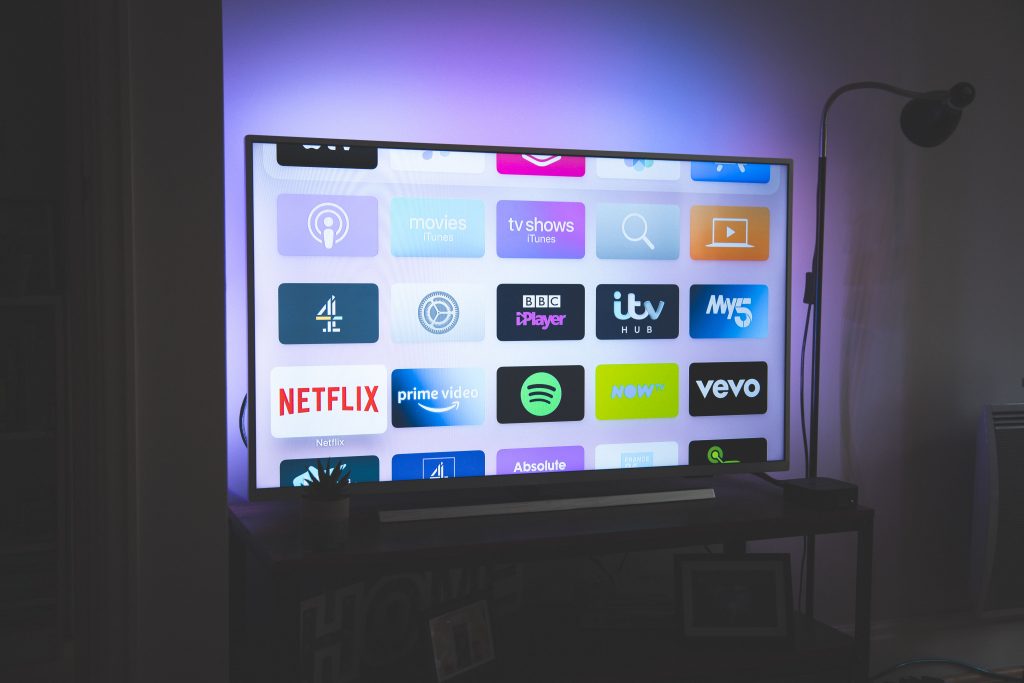
Fortunately, because broadband and TV bundles are now quite flexible, it’s fairly straightforward to ensure you get the channels you need, and avoid paying for ones you don’t.
It’s also worth knowing that for the most part, the big three broadband and TV providers (EE, Sky, and Virgin Media) have broadly the same range of channels on offer. Therefore, it’s mostly a case of comparing their different pricing on the channels you’re interested in, and the broadband speed you need, to see which is best.
- First, think about what types of channels you want to watch. For example, do you want to get cartoons for the kids, movie channels such as Sky Cinema, entertainment such as Sky Atlantic, or sports bundles such as Sky Sports?
- If you want to watch live sports, it’s a good idea to think carefully about which channels it’s actually worth paying for. For football for example, Sky Sports and TNT Sports both show different matches from different competitions, and there are other channels that cover different sports as well, such as Racing TV.
- Think about whether you want year-round access to the channels you want to watch, or whether you’d prefer to cancel your subscription during the off-season(s). This is most applicable if you mostly want to watch specific programmes when a new series comes out, or if you like to watch sports with a longer off-season, such as cricket, tennis, or Formula 1.
- Consider how you want to access TV. In general, if you need a set-top box, this will be more expensive, in that it will require a longer-term commitment to a TV bundle. On the other hand, if you just want to stream different cable channels or programmes, this can normally be done more cheaply using a service such as Sky Stream or NOW TV.
- Now, build a bundle that works for you with a few different providers, and see which offers the best value for money given the broadband speed you need, and the TV channels you want to watch.
How TV service is delivered
Most cable TV services are now delivered through your broadband connection.
Your TV box will connect directly to your router via WiFi, or using an Ethernet cable, and if you don’t get a set-top box, you’ll be able to stream TV through a streaming app or your smart TV. You will need to ensure that you have a fast enough broadband connection to handle the TV service, as well as everything else you do online.
Some providers, like Virgin Media, deliver TV service through a coaxial cable connection. This is what you probably think of when you hear the term “cable TV”.
Sky Q was delivered using a satellite dish, but this service is no longer available to new customers. Sky Glass and Sky Stream are delivered through your broadband connection.
If you have slow broadband speeds that aren’t capable of handling TV streaming, this makes things a bit tricky, because satellite options are no longer available.
If you can’t get superfast fibre broadband at your address, you might like to look at these 4G internet solutions, then stream TV through a service like NOW TV.
How to save money on broadband and TV
Broadband and TV deals can be very expensive, so here are some ways to save money when buying.
- Only pay for the broadband speed you really need. You can use our internet speed needs calculator to get an idea of how much bandwidth it’s really worth paying for.
- Only pay for the TV channels you really need, as we discussed earlier in the article. If you mostly want to watch live sports, consider buying a more flexible streaming plan you can change or cancel for at least a few months a year to save some money.
- If you plan on watching TV year-round, you want to do the opposite of the above – make sure you commit to a 24 month broadband and TV contract if you can, in order to lower your monthly cost as much as possible.
- Shop around for the best deal, building a similar plan with as many providers as possible, to see which is cheapest.
- Avoid expensive extra TV-related services, such as Sky Glass, or buying extra set-top boxes you don’t need. You can always add more later if desired.
Will I get a TV box?

In this day and age, broadband and TV bundles don’t always come with a TV box. So if you want the ability to pause, record, and rewind live TV, it’s important to know what to look for.
Plans that come with a TV box are typically the more expensive options from premium broadband and TV providers, such as Virgin Media, Sky, or EE.
The bundles you’re looking for normally come with a longer-term contract, rather than a rolling monthly TV streaming service you can choose to cancel at any time.
It’s also worth knowing, some modern TV boxes are more designed to stream TV shows, rather than doing things like recording, rewinding, or pausing live TV.
If you want to be able to do things like record your favourite shows, we recommend choosing an EE TV plan that comes with the EE TV Box Pro, since the latest Sky Stream and Virgin Media set top boxes cannot record programmes to local storage.
Fortunately, TV boxes do not normally come with any extra fees, other than committing to buy an eligible TV bundle on a certain contract length. However, you will need to pay more if you want multiple TV boxes for different rooms of the house.
I have more than one TV – will I be able to watch different programmes simultaneously?
If you want to watch TV in multiple different rooms at once, the best way to do this is often to add on extra TV boxes when buying a broadband and TV bundle.
Most providers make it easy to add on miniature TV boxes to use in different rooms around the house.
Alternatively, if you’re using a streaming service, you may need to buy an add on to your plan to allow the same account to be used on more smart TVs or other devices simultaneously, depending on the number of different devices that might be streaming at once.
Conclusion
This is the end of our guide to the best broadband and TV deals in the UK.
In general, we recommend building a broadband and TV bundle with EE, Virgin Media, and Sky, as these are the market leaders in the space at the moment, and then choosing between them based on which is cheapest. Though, even if they cost more, EE can still be worth choosing for their mobile benefits and WiFi routers.
If you’re still not sure which provider or package to choose, leave us a comment below, and we’ll get back to you as soon as we can.
Related posts



About the author

Tyler is the co-founder of Broadband Savvy. He has been helping people improve their broadband connectivity since 2018 by writing about fibre broadband and mobile broadband providers, as well as creating tutorials to help people improve their broadband speeds and Wi-Fi signal.
Tyler is responsible for the majority of buyer’s guides and broadband reviews published on Broadband Savvy. He has a wealth of experience testing and reviewing different broadband tariffs, including fibre internet plans, as well as 4G and 5G broadband deals. He is responsible for testing and evaluating Wi-Fi routers, performing speed and latency tests, and comparing the value for money of different broadband providers on the market in the UK.
Before co-founding Broadband Savvy, Tyler had a long history of tinkering with computers. He built his first PC at the age of 12, and since then, he’s become obsessed with all things networking and internet-related. He’s a massive gamer, loves Rocket League, and also plays Sunday League football.